
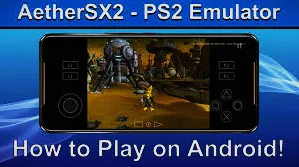
Playing classic PlayStation 2 games on an Android device has become possible thanks to powerful smartphones and advanced emulation technology. A PS2 emulator enables users to play console games directly on their mobile devices, reviving nostalgic titles. This article explains how to use a PS2 emulator on Android simply and clearly.
Overview
A PS2 emulator is an application that imitates the hardware and software behavior of the PlayStation 2 console. Since the PS2 was a powerful system, emulating it requires a capable Android device with a fast processor, sufficient RAM, and a stable operating system.
Not all phones can run PS2 games smoothly, so performance may vary depending on hardware strength.
Preparing Your Android Device
Before starting to use it, make sure your Android phone has enough storage and updated system software. Closing background apps can improve performance during gameplay. It is also recommended to use a phone with a strong CPU and GPU for good results.
Installation of Emulator
Download a reliable PS2 emulator application compatible with Android. After installation, open the emulator and grant the required permissions. These permissions allow the emulator to access game files and save data properly.
Adding PS2 Game Files
PS2 emulators do not include games by default. You must use game files that you legally own. These files are usually in ISO or BIN format. Place the game files in a folder that is easy to locate, then load them through the emulator’s game library option.
Configuring Emulator Settings
Most PS2 emulators offer settings for graphics, sound, and controls. Adjusting resolution, frame skipping, and rendering options can help improve game speed. If a game runs slowly, lowering graphical settings often solves the issue. Audio settings can also be modified to reduce lag.
Controls settings
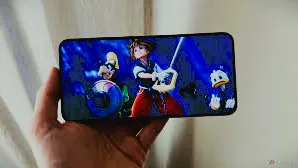
The emulator provides on-screen touch controls that mimic a PS2 controller. You can customize button size and placement for comfort. For a better experience, connecting an external game controller via Bluetooth is highly recommended.
Start playing
Once everything is set, select your game from the emulator’s menu and start playing. Save states allow you to save progress at any point, which is useful for difficult games or short play sessions.
Tips for High Performance
To improve gameplay, keep your device cool, avoid multitasking, and experiment with different emulator settings. Each game behaves differently, so minor adjustments may be needed for optimal performance.
Final words
Using a PS2 emulator on Android is an excellent way to enjoy classic console games on the go. With the right device, proper setup, and correct settings, you can experience smooth and enjoyable gameplay.
As mobile technology continues to improve, PS2 emulation on Android will only get better.
FAQs
Is the use of Emulators on Android safe?
It depends on you if you have downloaded the emulator from any trusted source; then it will be safe for use.
What are the minimum requirements of the emulator for download?
Requires a power system with a Minimum GB of RAM and requires free storage on your devices to achieve better gaming results.
Do the emulators support multiple console games?
Yes, emulators support multiple consoles and provide a console for your Android devices to enjoy those games on them easily.