
App development today is faster, smarter, and more competitive than ever. Whether you are a beginner learning how to build your first mobile app or an experienced developer working on a professional project, one tool remains extremely important: an emulator. A good emulator allows developers to test applications without needing multiple physical devices, saving both time and money.
Choosing the best emulator for app development can make your workflow smoother and your apps more reliable. In this guide, we’ll break everything down in simple words so you can clearly understand why emulators matter and which ones developers trust the most.
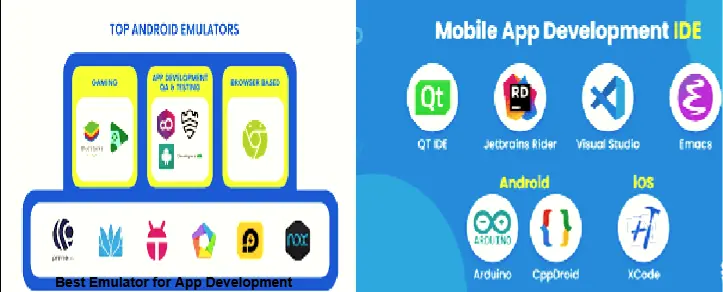
Understanding Emulators in App Development
An emulator is software that creates a virtual mobile device on your computer. It behaves like a real smartphone or tablet, allowing developers to install, run, and test applications in a controlled environment. Instead of buying many devices with different screen sizes and system versions, an emulator gives you everything in one place.
For app developers, emulators are not just optional tools. They are a core part of daily work. From testing layouts to checking performance and fixing bugs, emulators help ensure that apps work properly before reaching real users.
Why Emulators Matter for Developers
Using an emulator makes development more efficient. You can instantly test changes without switching devices, restart apps quickly, and simulate real-world conditions. This helps catch errors early and improves app quality.
Another big advantage is flexibility. Emulators allow testing on different screen sizes, operating system versions, and hardware setups. This ensures that your app works smoothly for a wider audience.
For developers working on tight deadlines, emulators help speed up testing and reduce frustration.
Important Features to Look for in an Emulator
Not all emulators are made for app development. Some are designed mainly for entertainment, while others focus on professional needs. Here are some features that make an emulator ideal for developers.
Smooth Performance
A good emulator should run fast and stay stable. Lag and crashes slow down development and waste time.
Realistic Device Behavior
The emulator should accurately simulate how a real device behaves. This includes screen resolution, memory usage, and system performance.
Built-In Testing Tools
Debugging tools, logs, and error tracking help developers find and fix issues quickly.
Support for Multiple Devices
Testing your app on different virtual devices ensures better compatibility.
Easy to Use Interface
A clean and simple interface makes development more enjoyable, especially for beginners.

Android Studio Emulator: A Developer Favorite
Android Studio Emulator is one of the most popular choices among Android developers. It is officially designed for app development and integrates directly with coding tools.
This emulator allows developers to test apps on many Android versions and device types. You can simulate phone calls, messages, GPS locations, and even network speed. These features help developers see how apps behave in real-life situations.
Because it is regularly updated, Android Studio Emulator stays compatible with the latest development standards.
Genymotion Fast and Flexible
Genymotion is known for its speed and smooth performance. Many developers prefer it because it starts quickly and runs efficiently, even on mid-range systems.
It offers advanced features like sensor simulation and performance testing. This makes it useful for checking how apps respond to movement, rotation, and different environments.
Genymotion is especially helpful for developers who want a balance between performance and ease of use.
Using BlueStacks for App Testing
While BlueStacks is often associated with general Android usage, some developers use it for basic app testing. It provides a stable Android environment and is easy to set up.
BlueStacks works well for checking user interface design and basic functionality. However, it may not offer advanced development tools like professional emulators. For simple testing and quick previews, it can still be useful.
Android Virtual Devices for Custom Testing
Android Virtual Devices allow developers to create custom testing environments. You can choose screen size, system version, memory, and hardware settings.
This level of control helps ensure your app runs properly across different devices. It is especially useful when testing apps designed for both phones and tablets.
Choosing the Right Emulator for Your Needs
The best emulator depends on what kind of app you are developing. If your project is complex and requires advanced debugging, a developer-focused emulator is the best option. If you are just starting out, a simpler emulator can still help you learn and practice.
Your computer’s hardware also matters. Some emulators need more RAM and processing power. Always choose one that matches your system capabilities.
Benefits of Using the Right Emulator
Using a reliable emulator improves productivity. It allows faster testing, fewer errors, and better app performance. Developers can experiment freely, test edge cases, and refine their apps before release.
Another big benefit is cost savings. Instead of buying many devices, emulators provide a complete testing environment on one system.
Final Words
The best emulator for app development is one that fits your workflow, system, and project goals. Emulators play a major role in building stable, user-friendly applications. They help developers test smarter, work faster, and deliver better results.
No matter your skill level, using the right emulator will make your app development journey smoother and more enjoyable. Take time to explore your options and choose the emulator that helps you create high-quality apps with confidence.